

Run your dive training business without the admin drag.
SoloDive helps independent scuba instructors manage students, courses, schedules, documents, invoices, and training records from one clean, guided workspace.
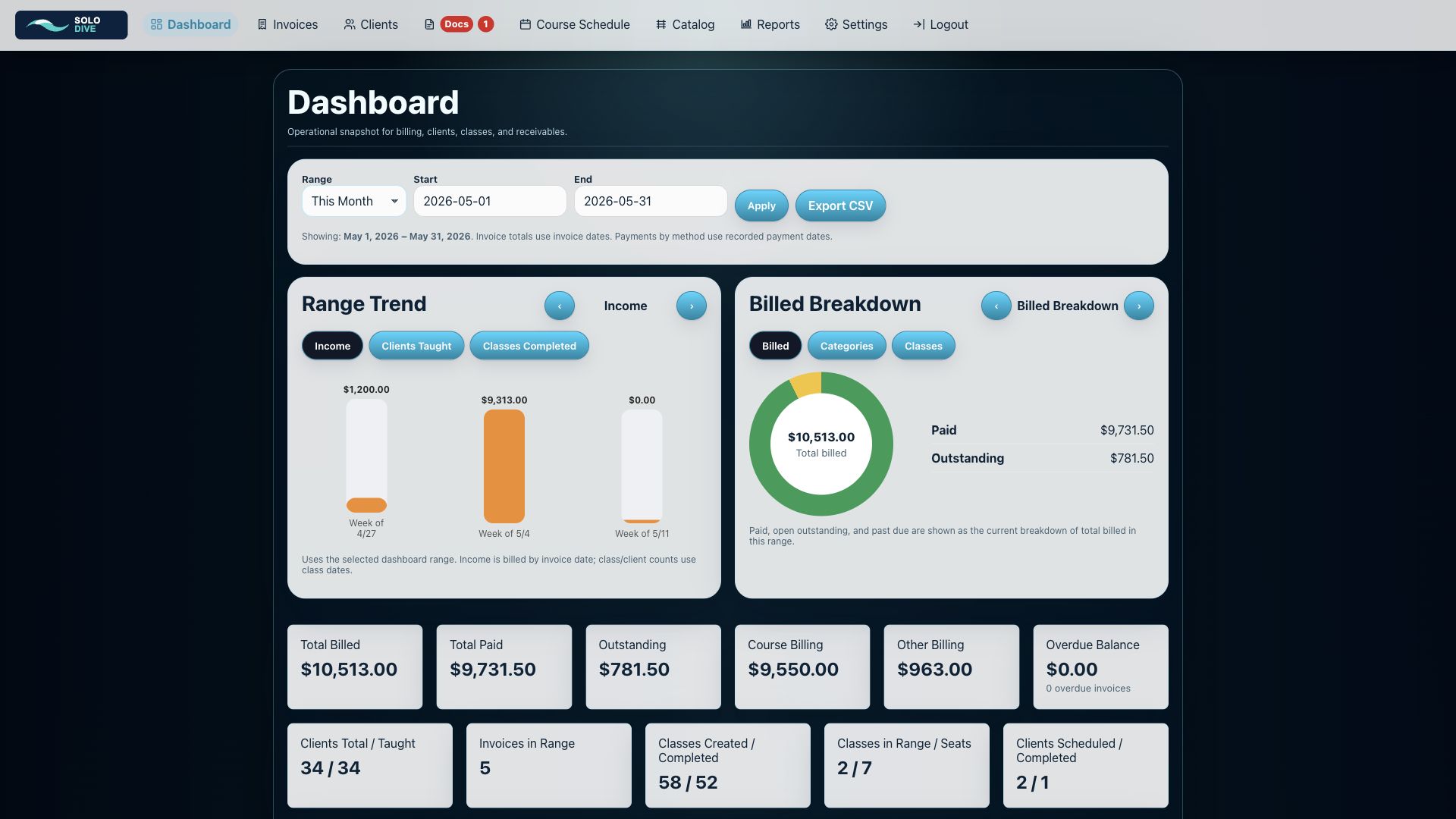
Everything you need to run classes, without feeling like you are using accounting software from 1998.
SoloDive is designed around the real workflow of a scuba instructor: set up a class, add students, connect billing, check documents, send welcome emails, run the class, and keep the final record organized.
Students & Clients
Keep student contact details, course history, uploaded documents, medical forms, waivers, notes, and billing records together in one place.
Courses & Calendar
Schedule classes, track course dates, manage student associations, and keep your training calendar organized without double entry.
Invoices & Payments
Create invoices for training, eLearning, gear, charters, or custom items. Track deposits, payments, balances, and client-facing notes.
Documents
Store medicals, waivers, proof of prerequisites, insurance, agency paperwork, and other records with the student or class they belong to.
Guided Workflow
Walk through class setup from start to finish with clear progress checks, skipped steps, and links to the settings that control each step.
Simple Reporting
Quickly see revenue, unpaid invoices, course activity, document status, student records, exports, and the things that need attention.
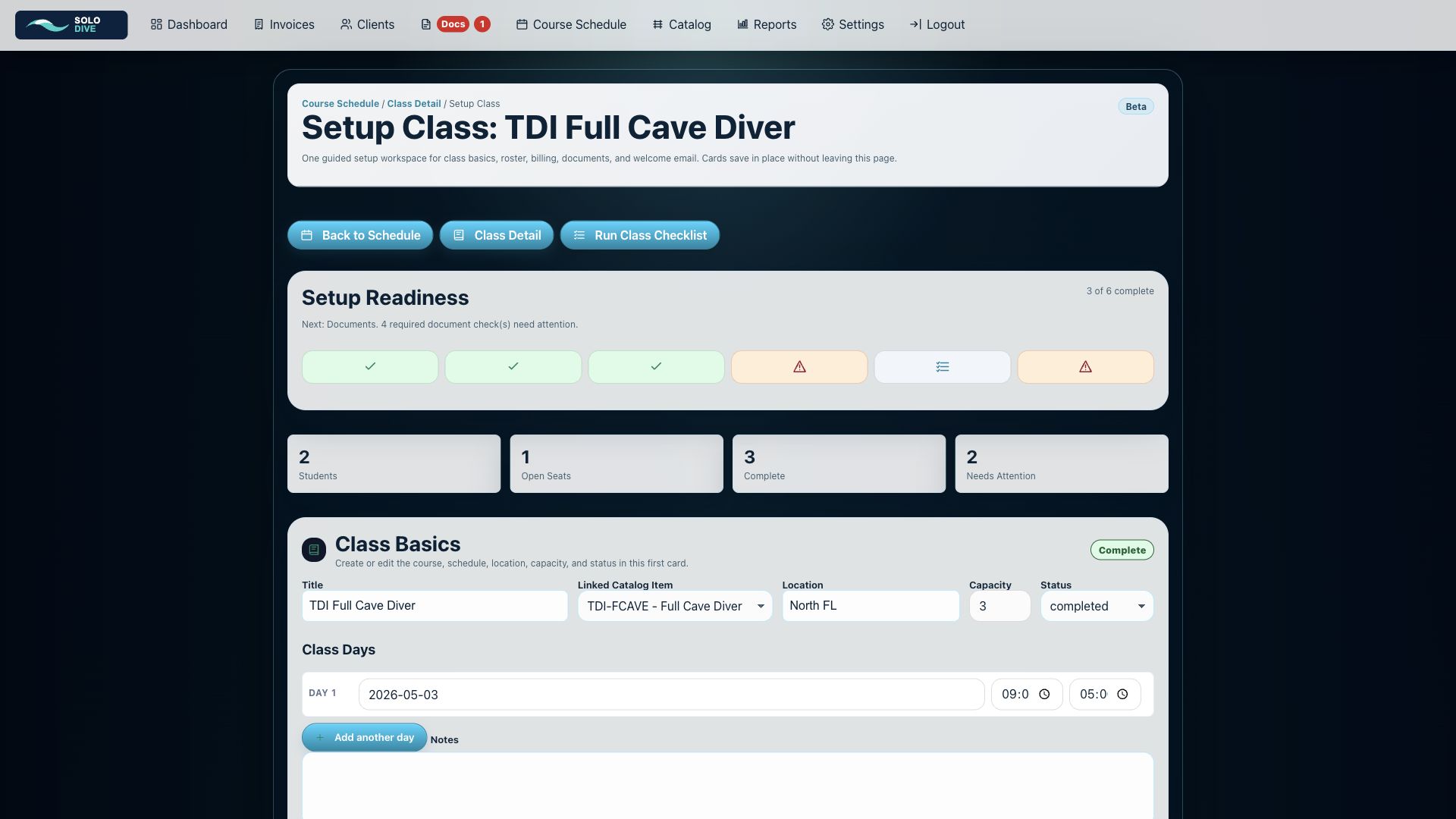
Setup before class. Run the class. Finish with a clean record.
A training business is not just a calendar, and it is not just invoices. SoloDive connects the pieces so you can see what is done, what is missing, and what needs attention before class day.
Setup new or existing classes
Use the guided setup workspace for basics, roster, billing, documents, welcome email, and Day 1 readiness.
Catch readiness gaps early
Progress cards show complete, in-progress, not-started, and needs-attention states before class day.
Run class from a checklist
Move from setup into the Run Class workflow for training progress, completion, and follow-up steps.
Finish with a clean record
When the class is over, the roster, invoices, documents, notes, and completion record stay organized.
From setup to class day to completed training record.
SoloDive keeps setup and class execution visible, so you do not have to remember which spreadsheet, email thread, note, or folder has the missing piece.
Setup class basics
Create a new class or open an existing class and confirm course, dates, location, capacity, and status.
Prepare the roster
Add students, link invoices, review documents, and send the class welcome email from the setup flow.
Run class day
Use the Run Class workflow to track readiness, training progress, completion, and follow-up items.
Close the loop
Keep the finished roster, payments, documents, notes, and training outcome attached to the class and student history.
Real screens from the current SoloDive workflow.
These screenshots show the newer setup and run-class flow from the live install. Hover over a screenshot to enlarge it.
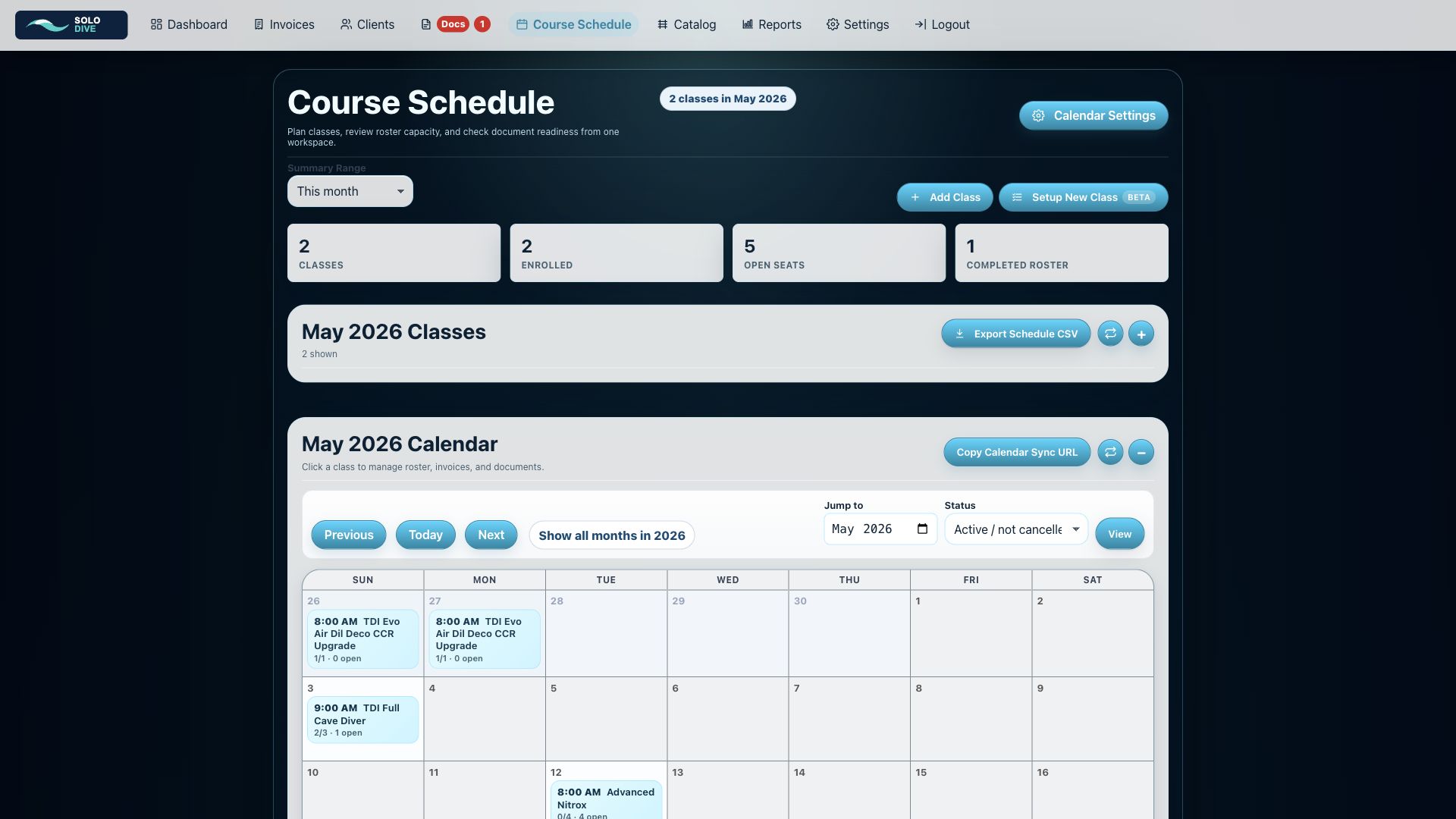
Course Schedule
Schedule overview with class counts, open seats, calendar controls, and Setup New Class access.
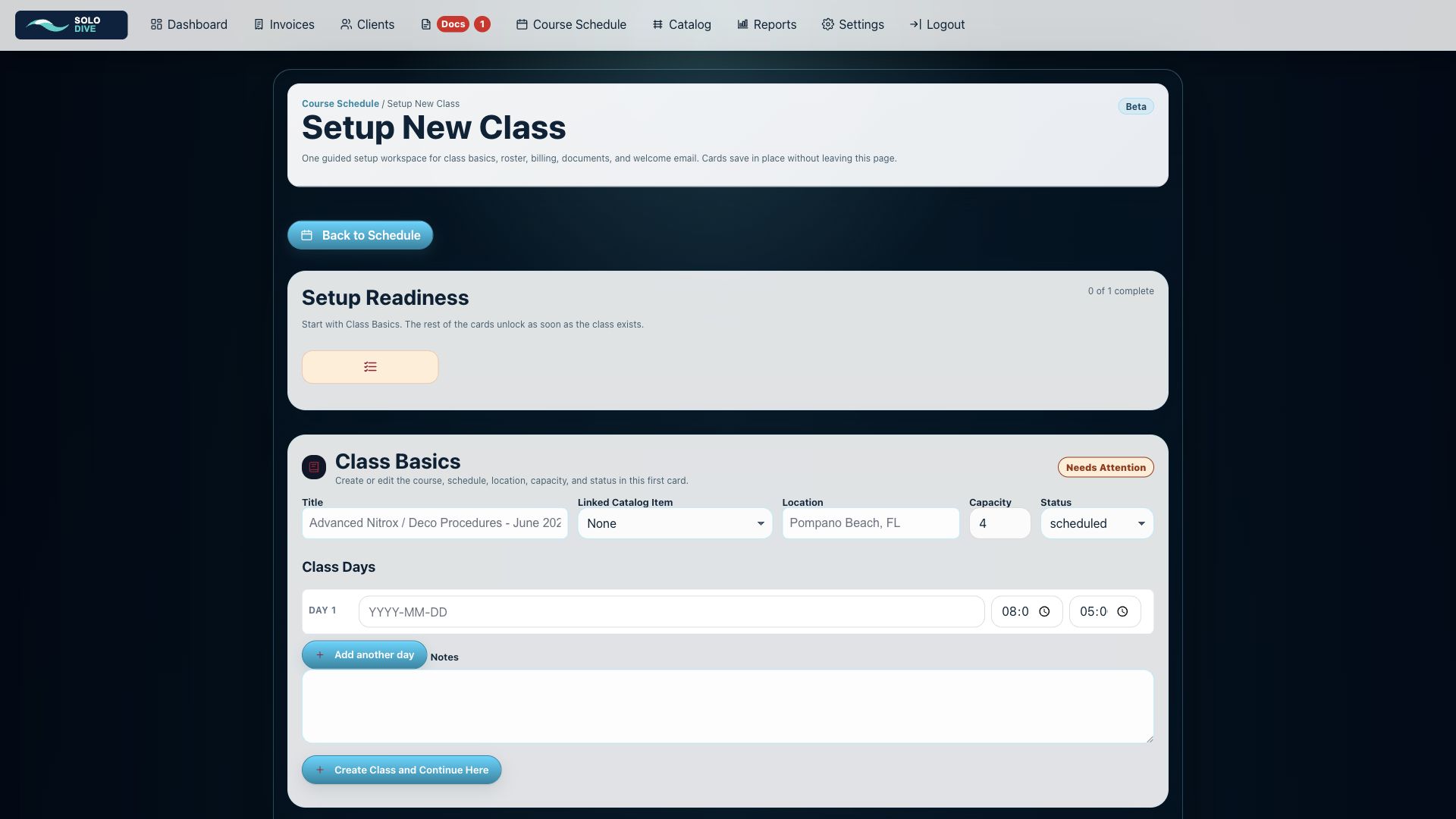
Setup New Class
Guided class setup starts with basics, then unlocks roster, billing, documents, and readiness cards.
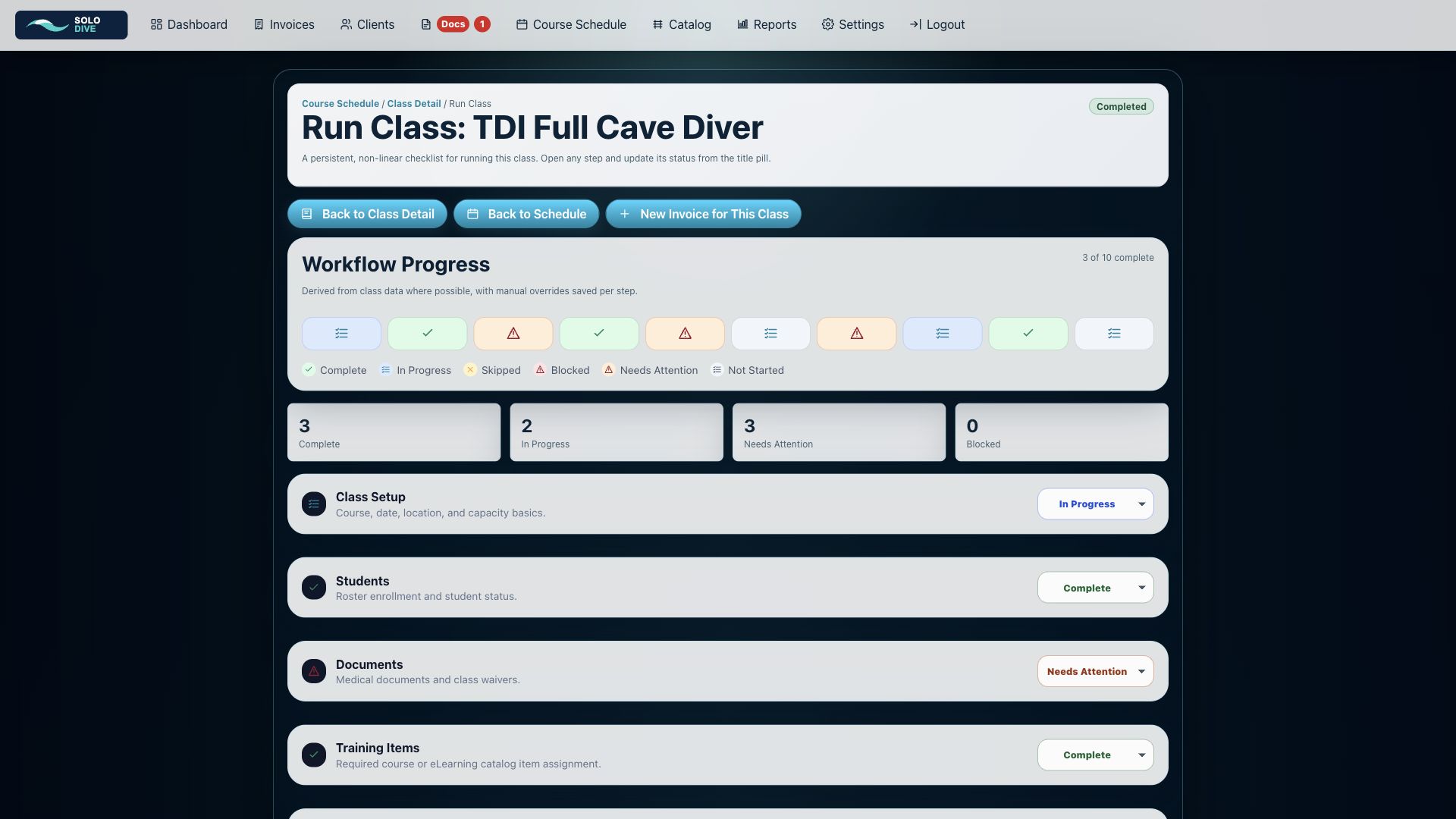
Run Class Workflow
Class-day checklist with progress states, readiness counts, and training completion tracking.
Built for independent instructors, small teams, and training-focused dive businesses.
SoloDive is currently being developed around real-world training workflows, with a focus on speed, clarity, and fewer buried menus.
- Student and client records
- Course scheduling and setup workflows
- Document tracking
- Invoices and payment records
- Welcome emails and run-class checklists
- Reports and exports
Spend less time managing training records. Spend more time teaching.
SoloDive is being built for instructors who want their training business organized, professional, and easy to run without bloated software getting in the way.